clickup-due-today
ClickUp Due Today
A Chrome extension that gives you a quick overview of your ClickUp tasks due today, right from your browser toolbar.
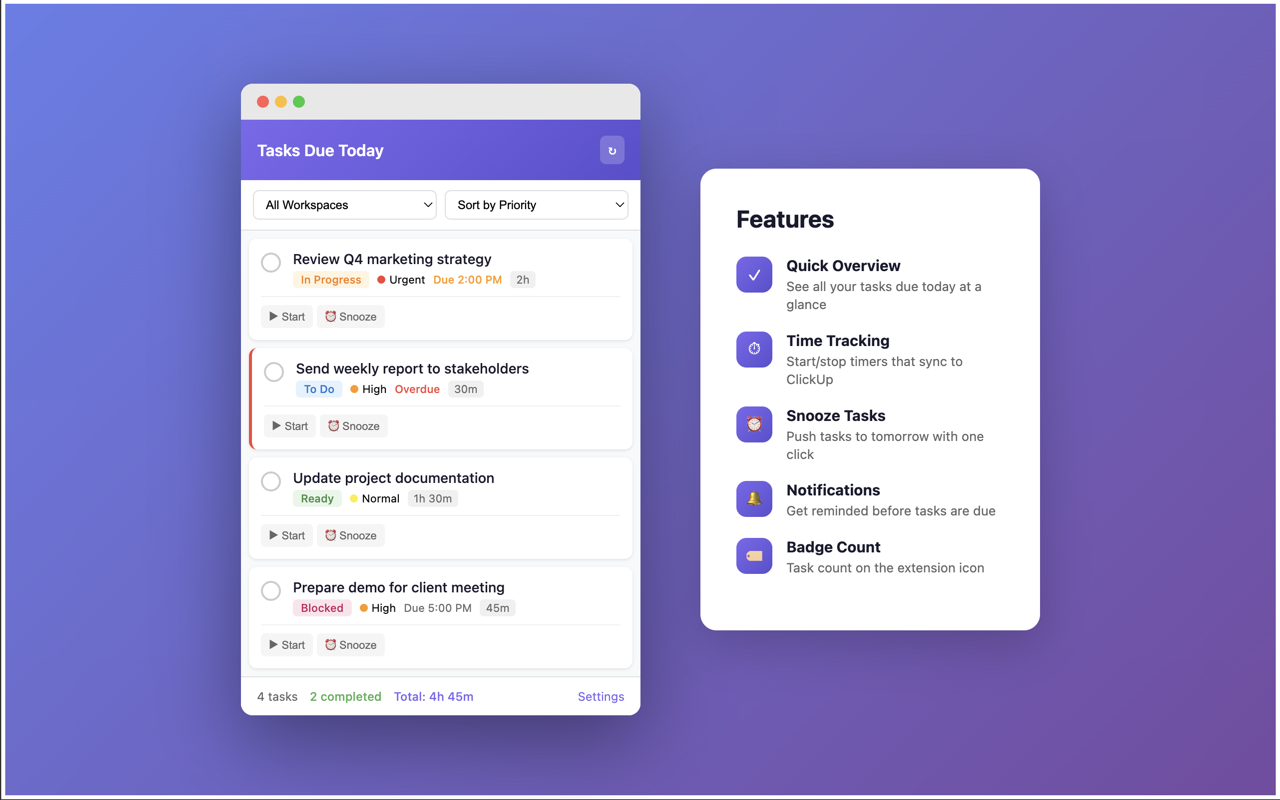
Features
- Quick Overview - See all your tasks due today at a glance
- Complete Tasks - Mark tasks as done without leaving your current tab
- Time Tracking - Start/stop timers that automatically log to ClickUp
- Snooze Tasks - Push tasks to tomorrow, in 2 days, or next week
- Overdue Tasks - Optionally show overdue tasks with visual indicators
- Due Time Display - See specific due times when set
- Workspace Filter - Filter tasks by workspace
- Sort Options - Sort by priority, due time, estimate, or name
- Group by List - Organize tasks by their parent list
- Badge Count - See task count on the extension icon
- Desktop Notifications - Get notified before tasks are due
- Time Tracked vs Estimated - Monitor progress against estimates
- Completed Today Count - See how many tasks you’ve completed today
Installation
From Chrome Web Store
Coming soon
Manual Installation (Developer Mode)
- Download or clone this repository
- Open Chrome and go to
chrome://extensions/ - Enable Developer mode (toggle in top right)
- Click Load unpacked
- Select the extension folder
Setup
- Click the extension icon in your browser toolbar
- Click Settings
- Enter your ClickUp API key:
- Go to ClickUp Settings > Apps
- Scroll to API Token and generate or copy your token
- Paste it in the extension settings
- Configure which features you want enabled
- Click Save
Privacy
This extension:
- Stores your API key locally in Chrome’s secure storage
- Only communicates with ClickUp’s official API
- Does not collect or transmit any data to third parties
- Is fully open source for transparency
See our full Privacy Policy.
Development
Prerequisites
- Node.js (for icon generation)
Setup
# Install dependencies
npm install

# Generate icons (if needed)
npm run generate-icons
Project Structure
├── manifest.json      # Extension configuration
├── popup.html/js/css  # Main popup UI
├── options.html/js    # Settings page
├── background.js      # Badge & notifications
├── icons/             # Extension icons
└── screenshots/       # Store listing assets
Contributing
Contributions are welcome! Please feel free to submit a Pull Request.
License
MIT License - see LICENSE for details.
Disclaimer
This extension is not affiliated with, endorsed by, or sponsored by ClickUp.